
Checking your website ranking on Google sounds simple. Open Google, search your keyword, find your site. Done.
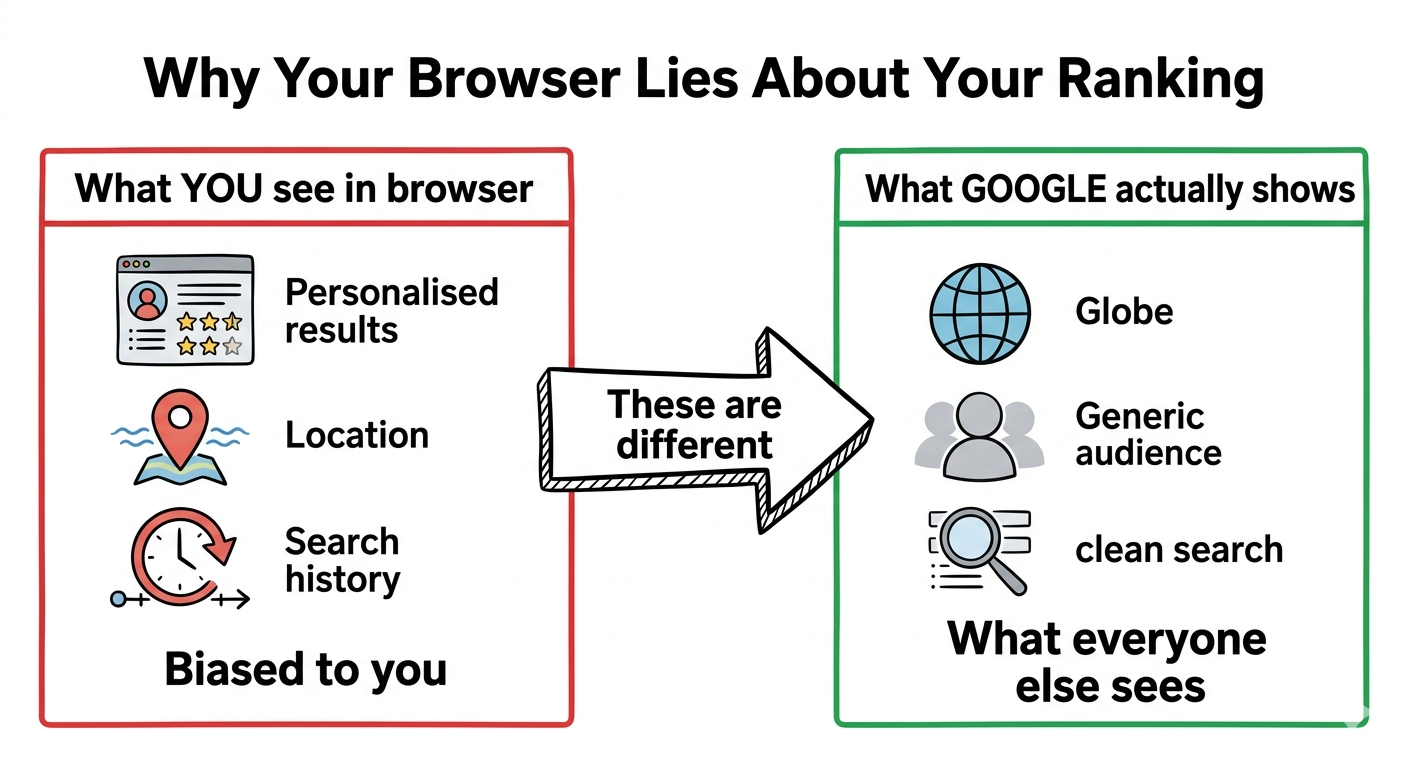
Except that is wrong — and it is one of the most common mistakes website owners make. What you see when you search Google is not what everyone else sees. Google personalises results based on your location, search history, and browsing behaviour. Your site might appear at position 3 for you and position 23 for everyone else.
This guide shows you the right way to check your rankings — accurately, for free, without needing any technical knowledge.
Run your first rank check
See exactly where your site ranks for any keyword — accurate, unbiased, instant.
Open resource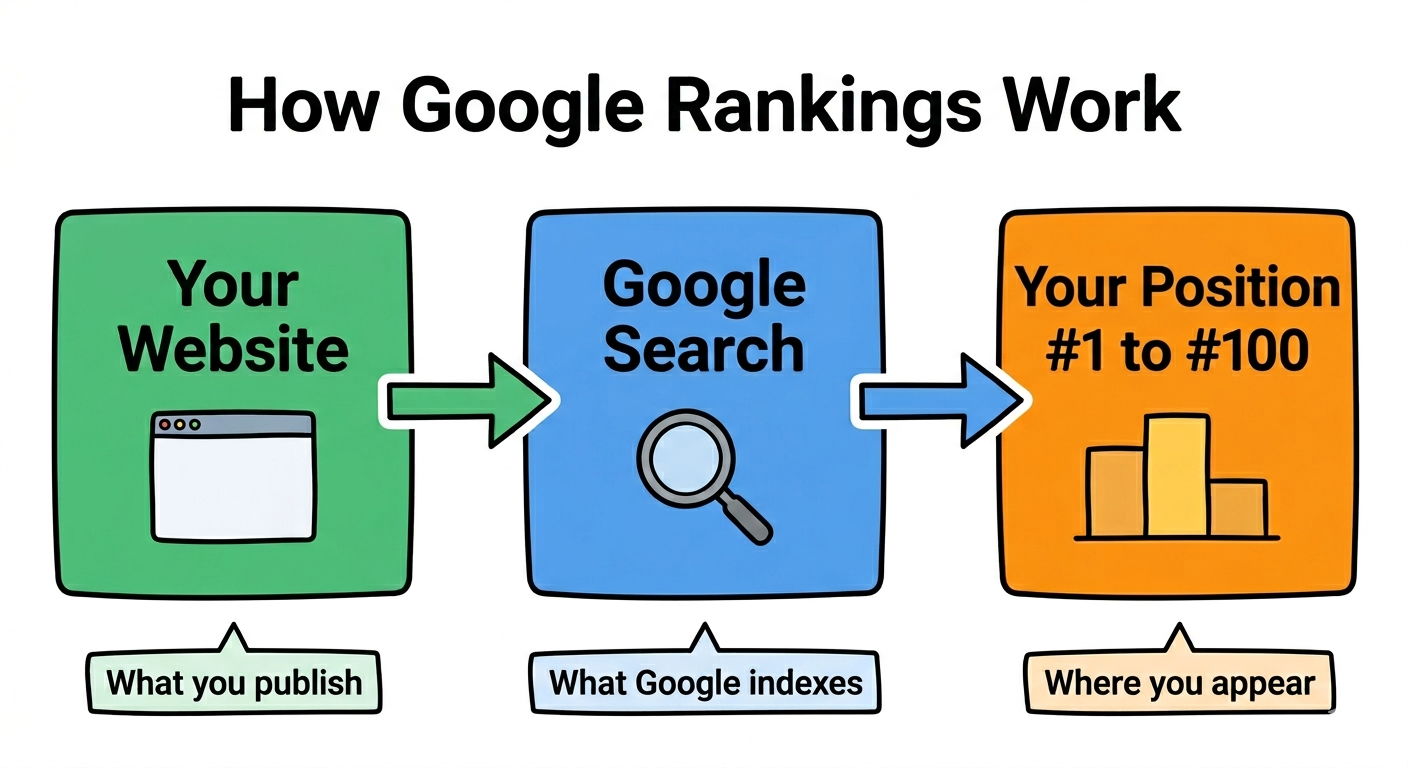
Why You Cannot Trust What You See in Your Browser
When you search Google while logged into your Google account, Google already knows:
- Your location — it shows results relevant to where you are
- Your search history — it shows sites you have visited before higher
- Your device — mobile and desktop results differ significantly
- Your language — localised results appear first
This means the ranking you see is personalised to you. It tells you almost nothing about where your site actually ranks for real users searching the same keyword.
3 Ways to Check Your Google Ranking
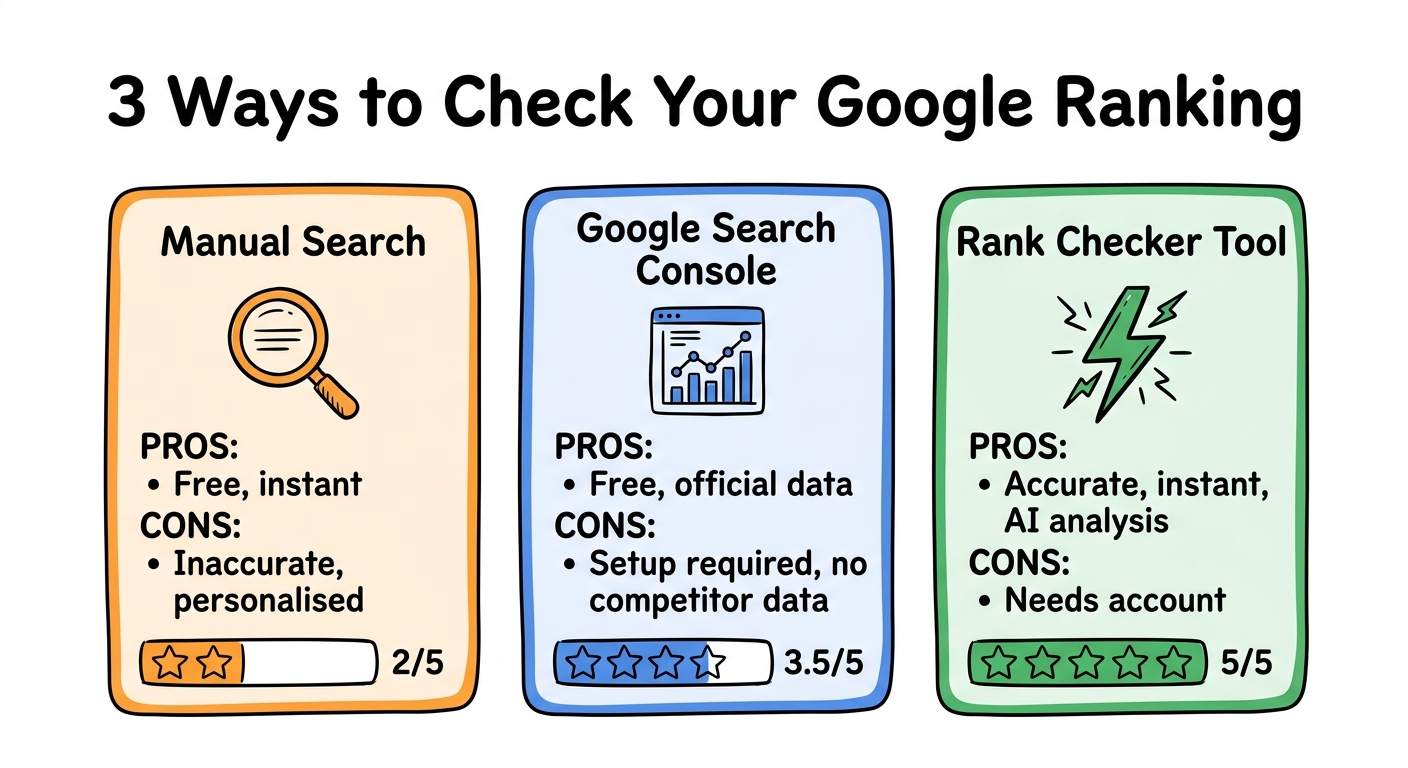
Method 1 — Manual incognito search
Open an incognito or private browsing window. Sign out of your Google account. Search your keyword and scroll through results until you find your site.
Pros: Free, instant, no setup required
Cons: Still location-dependent, inaccurate, time consuming for multiple keywords, no historical data
This method works for a rough one-off check but should never be your primary tracking method.
Method 2 — Google Search Console
Google Search Console is a free tool by Google that shows you official data about how your site appears in search results. It shows average position, impressions, clicks, and click-through rate for every keyword your site appears for.
Pros: Free, official data directly from Google, shows all keywords you rank for automatically
Cons: Takes 48 to 72 hours to set up, shows averages over time not current position, no competitor data, requires site ownership verification
If you have not set up Google Search Console for your site — do it today. It is free and gives you data no other tool can match.
Method 3 — A rank checker tool
A rank checker tool checks your position for a specific keyword from a neutral location — unaffected by your search history, location, or login status. It shows your exact current position and often includes additional data like page speed, title tag quality, and AI analysis of why you rank where you do.
Pros: Accurate, instant, works for any keyword, shows historical movement, gives actionable recommendations
Cons: Requires creating a free account
This is the most reliable method for regular ranking tracking.
Run a free rank check
See your exact position for any keyword — accurate, unbiased, and ready in seconds.
Open resourceHow to Check Your Ranking With ClimbRK — Step by Step
ClimbRK's rank checker is free to use and gives you accurate ranking data plus AI analysis of exactly why you rank where you do and what to fix to rank higher.
Step 1 — Enter your domain
Go to climbrk.app and enter your website domain. You do not need to include https or www — just the domain name. For example: yourbusiness.com
Step 2 — Enter your target keyword
Enter the keyword you want to check. Be specific. "pizza delivery mumbai" will give you more useful data than just "pizza."
Step 3 — Select your country
Select India if you are targeting Indian users. Rankings differ significantly by country — a site ranking #3 in India may rank #45 in the UK for the same keyword.
Step 4 — Run the check
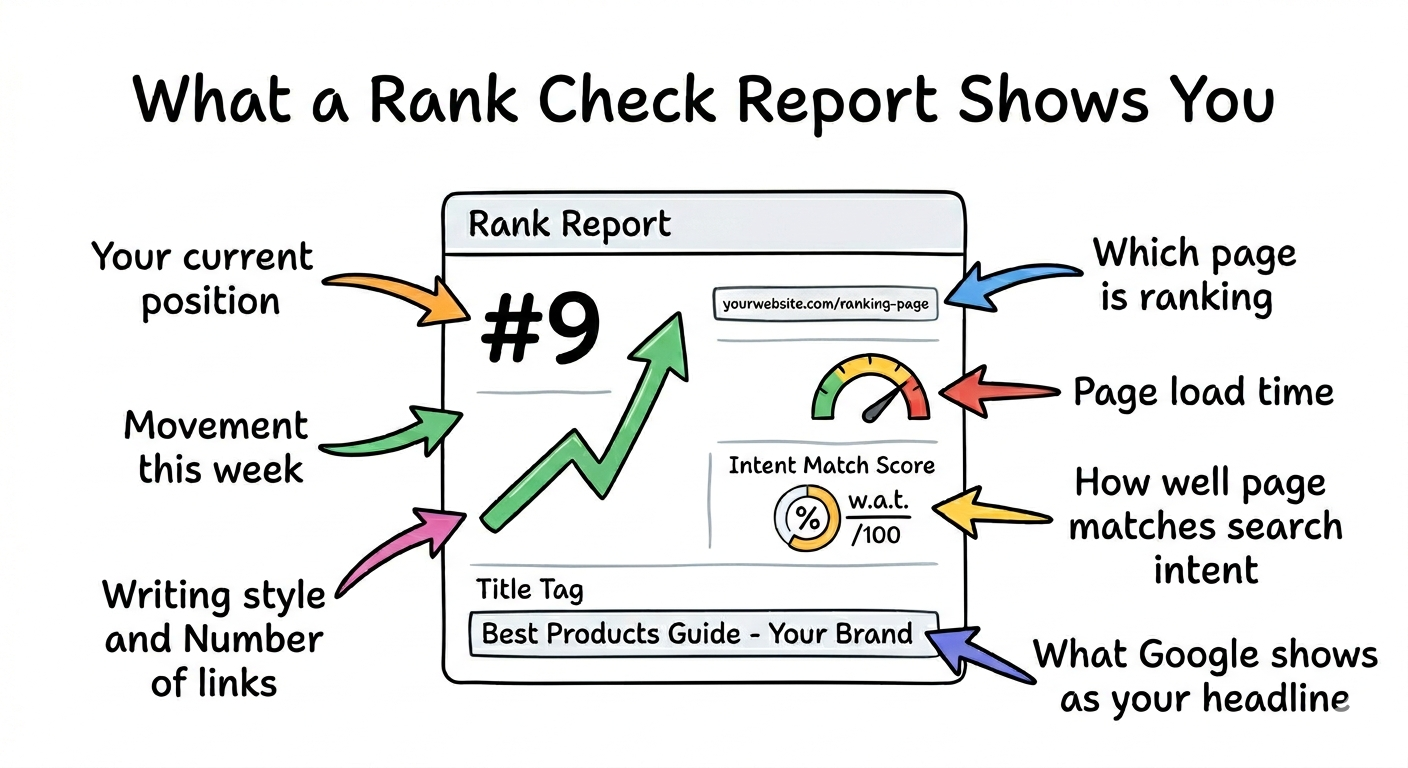
ClimbRK checks your position from a neutral location with no personalisation. Within seconds you see:
- Your exact current position
- Which specific URL is ranking
- Your page load speed
- Your current title tag and meta description
- AI analysis of why you rank here
- Specific fixes to improve your position
Step 5 — Read the AI analysis
This is where ClimbRK goes beyond a simple position number. The AI analysis shows you:
- How well your page matches the search intent
- What the top 3 results have that you do not
- The single most impactful fix you can make
- Copy-paste title tag and meta description suggestions
- Expected position improvement if fixes are applied
What Your Ranking Actually Means
A position number alone tells you very little. Here is how to interpret what you see:
Position 1 to 3: You are getting the majority of clicks. Focus on maintaining position and improving click-through rate with better title tags and meta descriptions.
Position 4 to 10: You are on page 1 but losing significant traffic to the top 3. Small improvements to intent match and content depth can move you into the top 3.
Position 11 to 20: You are on page 2. Most users never reach page 2. This is the most important range to escape — one focused page of fixes can move you to page 1.
Position 21 to 50: You are ranking but getting almost no traffic. Focus on whether your page genuinely matches the keyword intent before anything else.
Position 51 to 100: You have some visibility but significant work needed. Check if the keyword is realistic for your domain authority first.
Not found: Your site is either not indexed for this keyword or ranking beyond position 100. Run a visibility analysis to find out why.
Why Your Ranking Changes
Rankings are not fixed. They change daily based on:
- Competitor pages being updated or added
- Google algorithm updates
- Your own page being re-crawled after updates
- New pages entering the index
- Seasonal search behaviour shifts
This is why tracking weekly matters more than checking once. A ranking that was #7 last month may be #15 today — and without weekly tracking you would not know until your traffic dropped.
Track your rankings weekly
Set up weekly tracking for your most important keywords and get notified when positions change.
Open resourceHow Long Until Rankings Improve After Fixing Issues
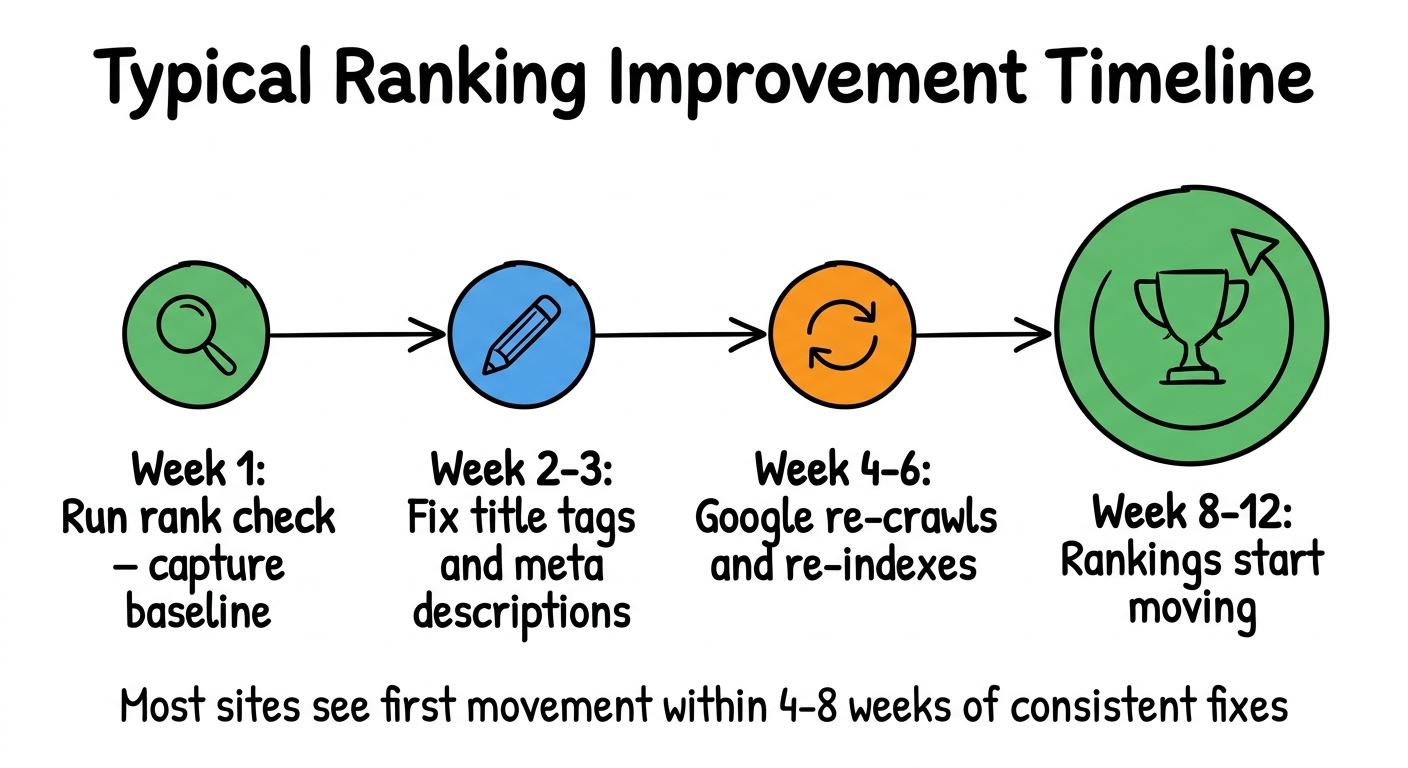
This is the most common question after running a first rank check. The honest answer:
Title tag and meta description fixes: 2 to 4 weeks. These are re-crawled quickly by Google and can show movement fast.
Content improvements: 4 to 8 weeks. Google needs to re-crawl, re-index, and re-evaluate the page against competitors.
Technical fixes (sitemap, indexing): 1 to 3 weeks for Google to discover and process the changes.
New pages: 8 to 16 weeks to start ranking for competitive keywords. New pages need time to build authority.
The key insight is that fixing issues does not guarantee immediate movement. But not fixing them guarantees you stay where you are.
What to Do After Your First Rank Check
If you rank in position 1 to 5: Focus on click-through rate. Check your title tag and meta description — are they compelling enough to earn the click over your competitors?
If you rank in position 6 to 20: Look at the top 3 results for your keyword. What do they have that your page does not? More depth, better structure, clearer intent match? Fix that one thing first.
If you rank in position 21 to 100: Run a full visibility analysis on your site. There are likely technical issues preventing Google from fully understanding and trusting your pages.
If you are not found: Check if your page is indexed at all by searching site:yourdomain.com on Google. If your pages do not appear you have an indexing problem that needs fixing before anything else.
Run a full visibility analysis
See every issue hurting your rankings with copy-paste fixes for each one.
Open resourceThe Right Way to Track Rankings Over Time
Checking your ranking once gives you a snapshot. Tracking it weekly gives you insight.
Here is the minimum tracking setup every website owner should have:
- Pick your 5 to 10 most important keywords
- Run a rank check for each one every Monday
- Note the position or let ClimbRK track it automatically
- When a position drops — investigate immediately
- When a position rises — identify what changed and do more of it
Most site owners check their rankings when they remember to — which means they only notice problems after traffic has already dropped. Weekly tracking catches problems early when they are still easy to fix.
Most Indian websites we have checked score below 60 out of 100 on visibility and rank significantly lower than they should for their target keywords. The fixes are almost always straightforward — they just need to be identified and acted on consistently.
Check your ranking free
Enter your domain and keyword — see your position, your issues, and exactly what to fix.
Open resource